Factory Hard Reset is the process used to wipe all the data and settings on the phone and revert it back to factory defaults. It comes in handy during the situations when your device is working too slowly, facing software related issues, bypass the forgotten Patten/PIN or Pass Code, etc. Here we have listed step by step instructions on how to Soft Reset and Factory Reset Avvio 765.
Soft Reset is the process where there is no loss of data. The simple term for Soft Reset is Reboot. While on the other hand, Hard Reset deals with the loss of data as it wipes and cleans all the personal data and makes the device 100% clean. It is recommended to backup data before proceeding to Hard Reset Avvio 765.

Hard Reset is performed at the time of selling the device to others or during software issues and slowness. Soft Reset is performed to clear the RAM, and to clear the temporary cache, this frees the device from the sluggishness and offers the device a quick performance boost.
So, without any further ado, let’s proceed to the instructions on how to Soft Reset and Factory Hard Reset Avvio 765.
Also: Avvio 777 Factory Hard Reset
How to Hard Reset / Factory Reset Avvio 765
Below are the methods using which you can factory reset Avvio 765.
Avvio 765 Factory Reset from Settings Menu
- Power on your phone and unlock it.
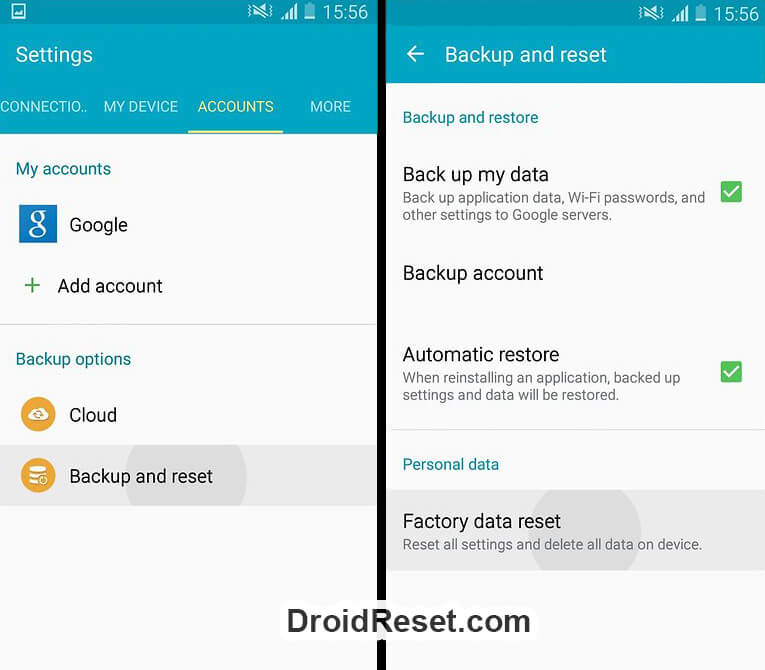
- Open the Settings app.
- Tap on Backup & Reset and then Factory data reset.
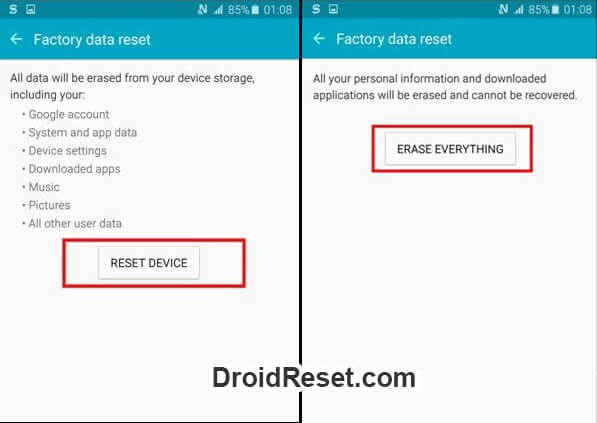
- Now tap on RESET PHONE. If asked to enter the Passcode or PIN, enter the same and tap on ERASE EVERYTHING.
- Now, all the data will be wiped, and the device should reboot.
Hard Reset Avvio 765 via Factory Mode
- First of all Power off the device.
- Press and hold Volume Up + Volume Down and Power buttons together for few seconds.
- Release the keys as soon as you see the two options menu on the screen.
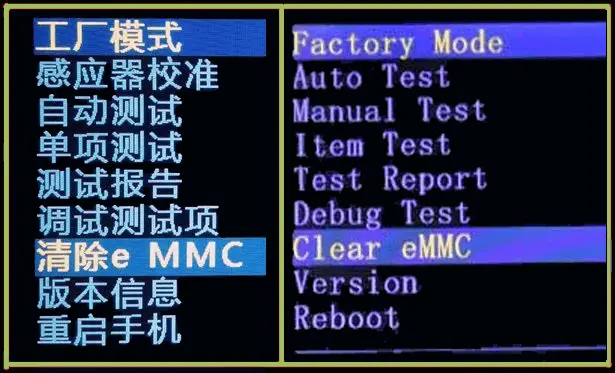
- Now, choose Factory Mode by holding down the Volume Down button.
- Choose "Clear eMMC" from the list of options using Volume buttons and select it using the Power button.

- That's it, Factory Hard Reset is now performed.
Hard Reset Avvio 765 from Recovery Mode
- First of all, Power off your phone.
- Boot Avvio 765 into Recovery Mode.
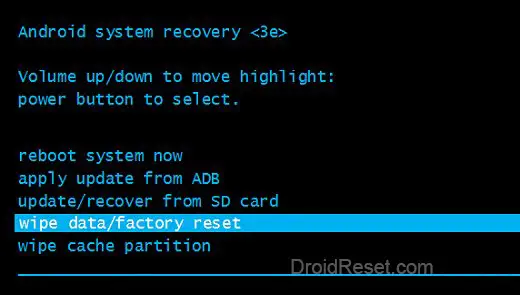
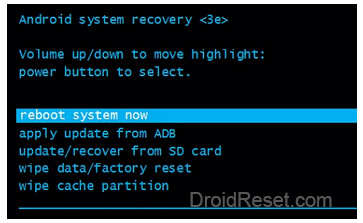
- From the Recovery Mode menu, choose "wipe data/factory reset" using Volume buttons and press the Power button to confirm.
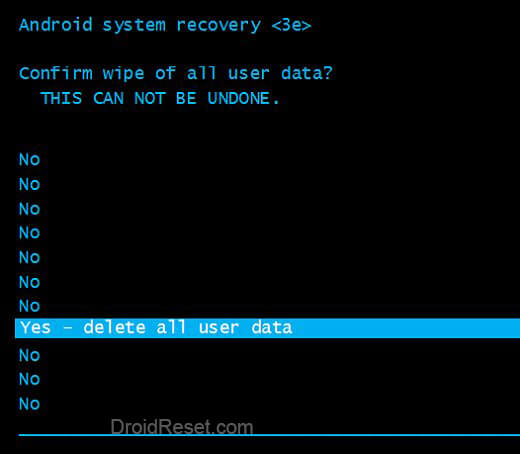
- In the next step, choose "Yes -- delete all user data" to confirm the operation.
- Now, the data and settings should be wiped.
- Once done, the Recovery Mode menu should appear. Choose "reboot system now".
- That’s it! Avvio 765 Hard Reset has been performed.
Note: After Avvio 765 Hard Reset you may be required to enter the previously used Google Account details while setting up the device. This is a Security feature added by Google starting from Android 5.0 Lollipop and this feature is called Factory Reset Protection (FRP).
How to Soft Reset Avvio 765
- Firstly, press and hold the Power button.
- Choose Power Off from the menu that appears on the screen.
- Wait for a couple of seconds for the device to Power OFF.
- Now, hold down the Power key to turn the device back ON.
- Well done! Avvio 765 Soft Reset is performed.
LEAVE A REPLY